Browser Beta
A Chromium-based browser where AI agents work in the tabs you pick, and nothing on a website changes until you allow it.
I built Browser because I didn't want to hand an agent my whole browser to get help with one tab. Agents here can research with cited sources, fill in forms, build comparison tables, watch a page for changes, learn a workflow you show them, or look into a broken page. The film shows one of them, “Watch for changes,” keeping an eye on a sample shop.
Chapters
- Tabs across the top, slim sidebar.A script recorded this from the real app and checked every page for private data along the way.
- One address row: go, search, ask, hand off.The same box goes to a site, searches, asks about the page or hands an agent a task.
- “Watch for changes,” one tab.The agent gets only the tab you pick, and the screen says so: “Agents use only the tabs you select.”
- Ask answers from the page.Ask reads the open page and answers on your Claude subscription, in 5.8 s here at low effort.
- Watcher spots the drop, no AI model.The watcher checks the page on the computer every 15 s with 0 model calls and 0 tokens. It reported the drop 16.8 s after it started.
- Review before Send to Workspace.You see exactly what would leave before anything goes to Workspace.
- All tabs at once.Each open page becomes a card. There are five here.
- Board sorts agent work.Runs are sorted by what they need from you.
Numbers
- 860
- tests passing
860 passed, 1 skipped across 92 files on the current build.
- 0
- model calls in the watcher
Its run card in the film reads “0 steps · 0 tokens”.
- 5.8 s
- Ask answer
Timed in the film from pressing Return until the answer stopped changing, at low effort, so the answer itself took a little less.
- 56
- privacy checks, 0 failures
At the end of every scene, the text of every open page was checked for personal names, email addresses, machine paths, internal app names and real web addresses.
System diagram
How it's built
An agent working on a real website should never change a page on a guess, and the person using it should be able to see and stop every step. By default, every click, edit or page change asks first and shows exactly what it will do, and each approval covers one action. If you type or click in the page, the agent pauses, and Stop takes over at any time.
Browser is built on Electron 44, the open-source shell around Chromium, so every tab renders in Chromium. Before an agent action runs, it is put in one of five classes: read, local change, draft, outside change or sensitive. You choose which classes ask first. Sensitive actions, meaning anything involving money, deletion or credentials, ask every time, and no setting can auto-approve them. That rule is one of 25 passing policy tests.
Ask runs on your Claude subscription, or on an Anthropic API key you add in Settings. On the subscription route it checks before every run that the sign-in is a first-party claude.ai plan, and stops rather than bill an API key. That check is one of 16 passing login tests.
The watcher rechecks loaded pages every 15 seconds on the computer, without calling a model.
Browser and Workspace talk over a paired link on the same computer, not through a server. Browser Sync, in Settings, locks everything on the computer before it leaves, using keys only your devices hold. It carries bookmarks, favorites, skills, memory, look and open tabs through a folder you choose, and the folder's owner sees only scrambled files. Nothing travels through a Browser server. Passwords sync only if you switch them on, and cookies, API keys and the never-touch list never sync. Adding a computer needs the recovery code.
Walkthrough
- Tabs run across the top, and the slim sidebar holds Search, All tabs, Board, Saved, History, Downloads, Agents, the pinned sample sites and More.
- The film types
http://shop.example/oak-lift-prointo the address row. Its tooltip reads “Go, search, ask, or give an agent a task,” and typing offers Search, Ask and “Give to an agent.” The film takes the handoff. - With only the shop tab selected, the film picks “Watch for changes.”
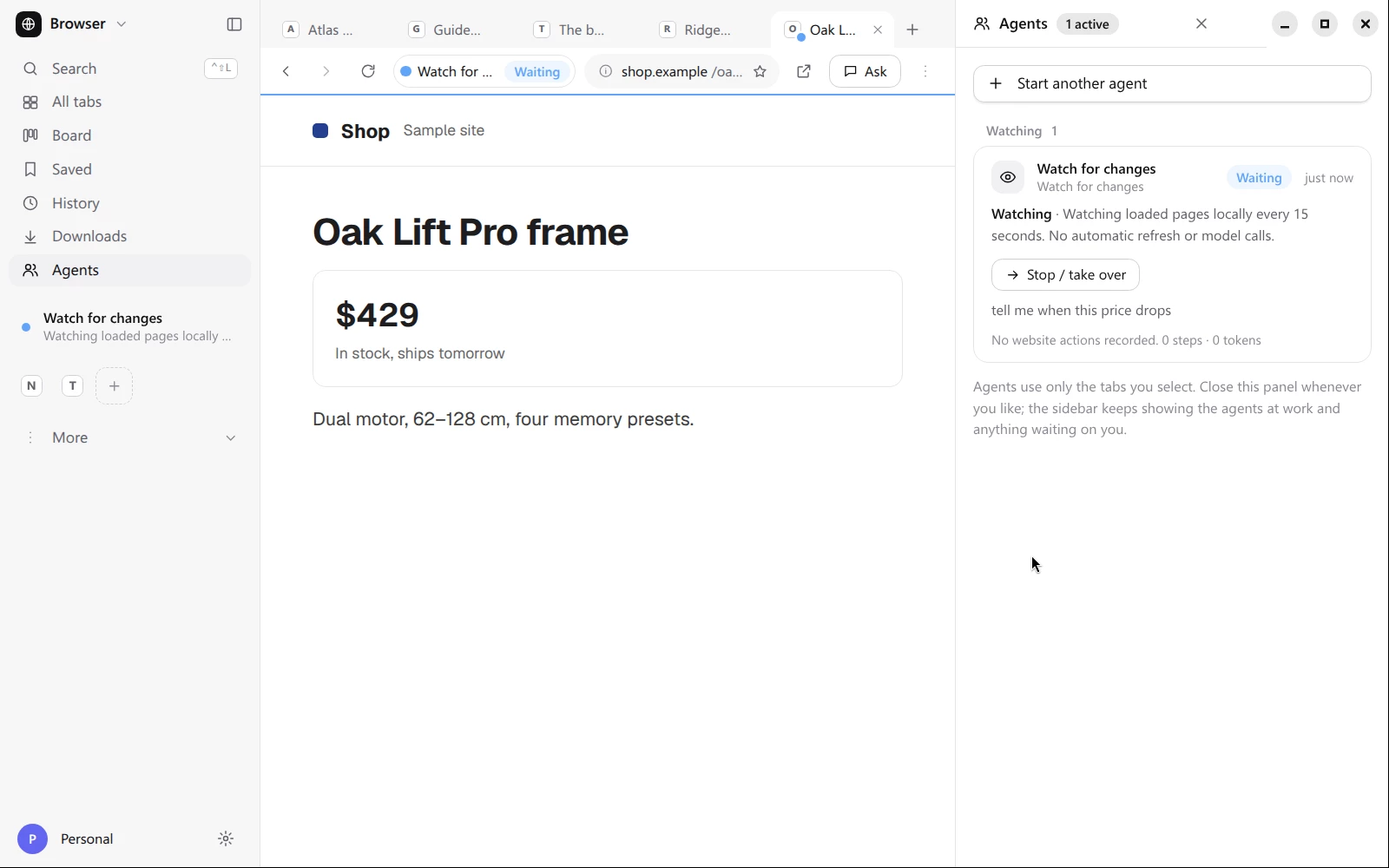
The watcher is already running. - The film asks “what does it cost now, and when does it ship?” Ask replies that the Oak Lift Pro frame costs $429, is in stock, and ships tomorrow.
- While the watcher runs, the sample shop changes its own page. The report reads “Changed: Oak Lift Pro frame · Shop,” above “No website actions recorded. 0 steps · 0 tokens.”
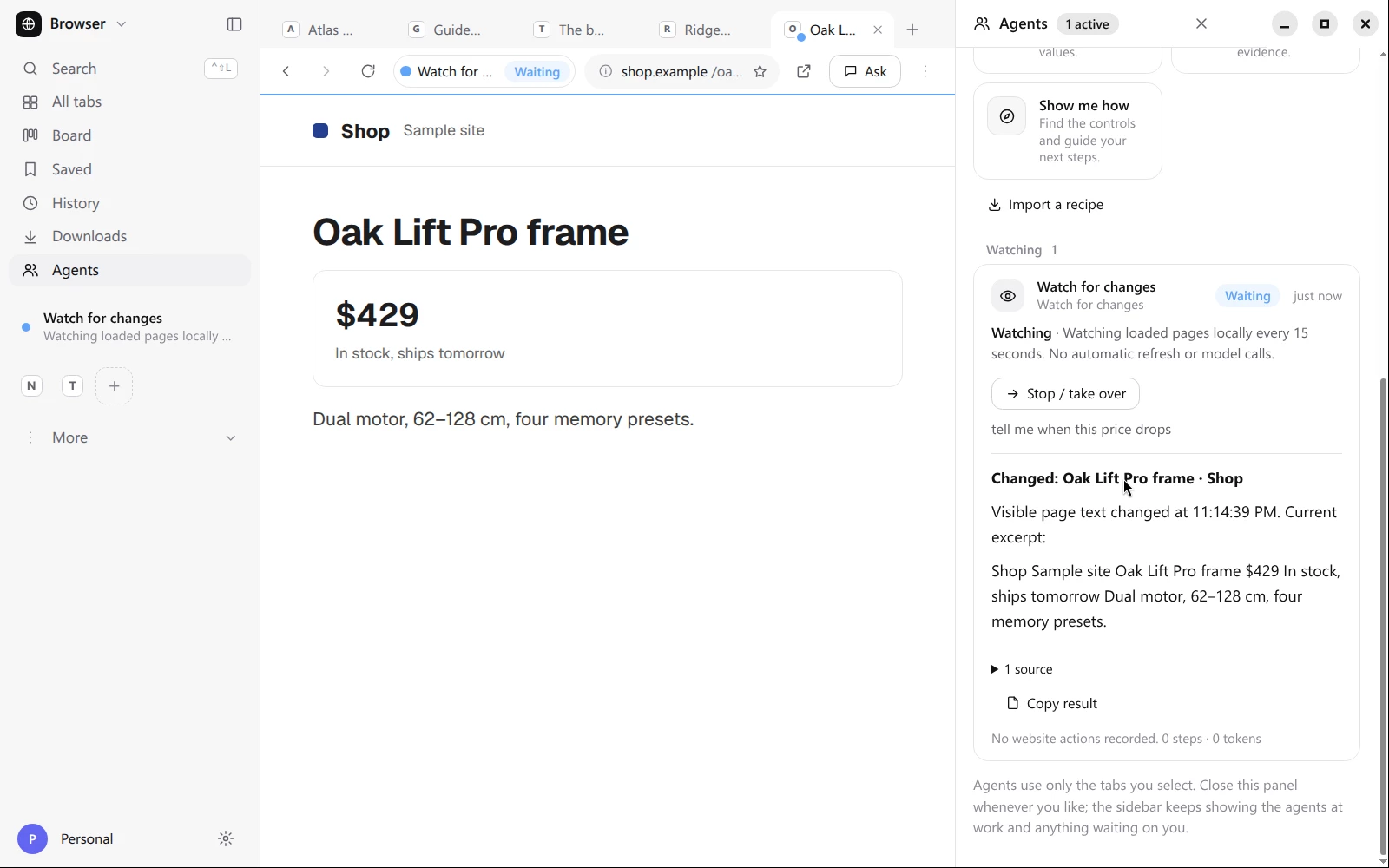
The watcher reports the sample price drop. - The Send to Workspace sheet lists the page title and address with a typed note. Only the address and title, the chosen excerpt and the note would go through a temporary local file. The film points at Send but never presses it.
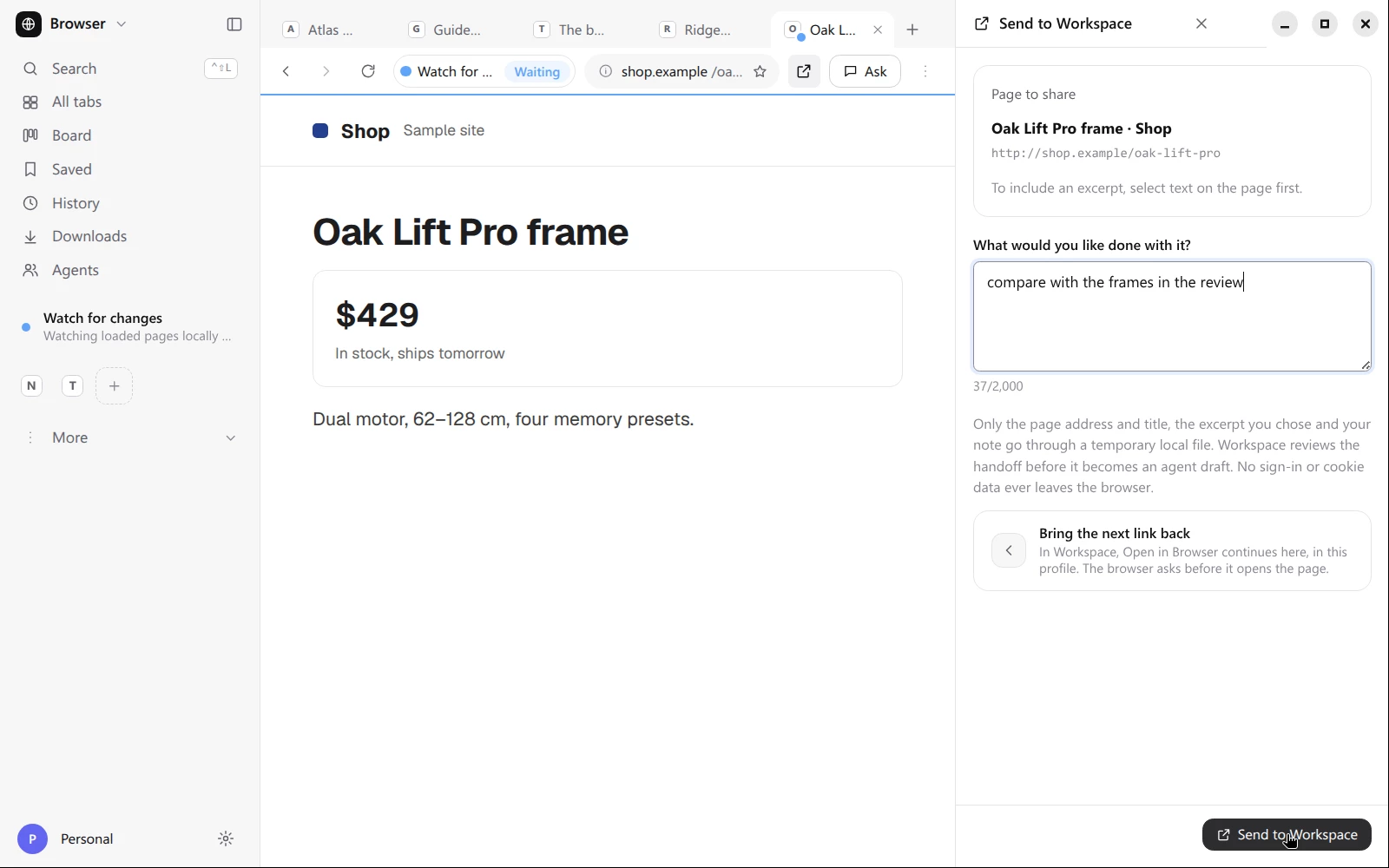
The review sheet before Send. - All tabs shows every open page as a card, five in all. One card reads “Open it once for a picture,” which is the app's text for a tab it hasn't drawn yet.
- The Board sorts agent work into Needs you, Working, Ready for review and Watching.
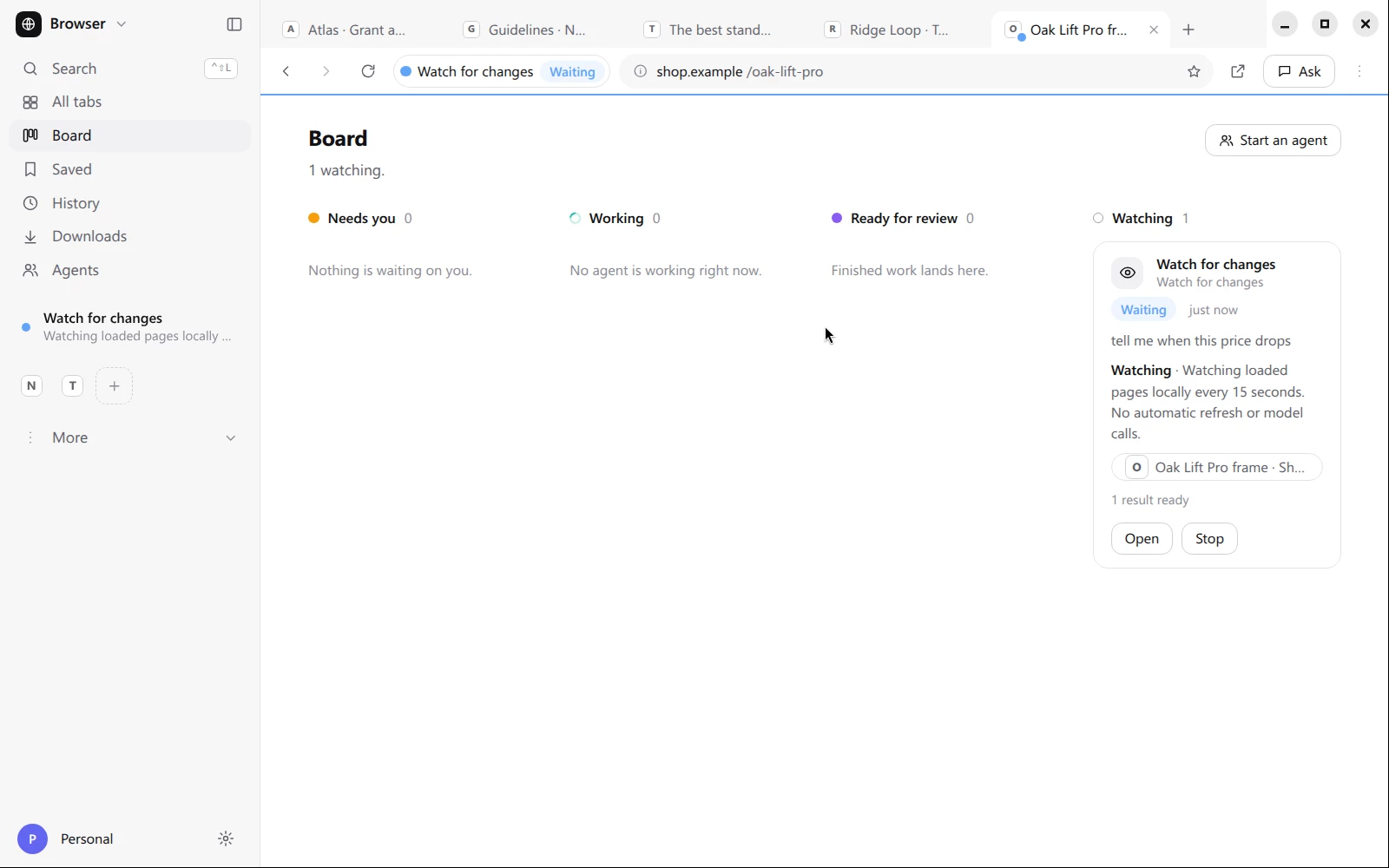
The watcher is in Watching with one result ready.
Limits
This is the development build, not a release package. The sites in the film are fictional and were served from the recording computer, but every click and keystroke is real input, and the watcher report, All tabs and the Board are the app's own output. Ask's answer is one real Claude turn.
Search is offered but never run, and the film stops at the review sheet without sending anything to Workspace. The test count is from October 2026 and will change as the build does. The timings come from one run on the recording computer, so they say nothing about speed on other machines.